
For years, professional video editors and 3D animators walking into my Boise workshop faced a simple choice: buy a MacBook Pro or settle for a bulky Windows workstation. Today, high-end creator laptops like the ASUS ProArt P16 have completely rewritten that script. Marketing departments love throwing around benchmark charts, but studio owners care about timeline scrubbing, color accuracy, and rendering stability. Let's put these two creative flagships head-to-head to see which machine truly deserves a spot on your studio desk.

The Creator Laptop Battleground: Windows Freedom Versus macOS Ecosystem
The divide between the ASUS ProArt P16 and Apple MacBook Pro represents the ultimate platform preference debate in professional creative industries. Apple's ecosystem offers a famously cohesive user experience, pairing macOS stability with tightly integrated Apple Silicon processors that manage power and memory exceptionally well. Creators who live inside Final Cut Pro or Pro Tools find unmatched workflow harmony within the Apple environment.
ASUS approaches professional creation by offering uncompromising Windows freedom, robust modular expandability, and powerful NVIDIA RTX graphics acceleration. The ProArt P16 is built for creators who rely on industry-standard Windows pipelines—such as Autodesk Maya, Blender, DaVinci Resolve, and the full Adobe Creative Cloud suite—while demanding hardware flexibility. You aren't locked into a closed operating system or restricted by proprietary hardware upgrade walls.
Evaluating these platforms requires looking beyond brand loyalty to examine which operating system supports your specific daily client deliverables. If your studio collaborators share project files across diverse PC networks and require custom plugin architectures, Windows is essential. If your entire production pipeline operates smoothly within macOS, Apple remains a natural home.
Display Technologies: ProArt Lumina OLED Versus Liquid Retina XDR
Visual evaluation starts with the screen, because color grading and retouching demand absolute accuracy before work goes out to clients. The Apple MacBook Pro features a gorgeous Liquid Retina XDR display utilizing Mini-LED backlighting, delivering incredible sustained full-screen brightness and deep contrast. It is an industry benchmark for video editing under bright studio lighting conditions.
The ASUS ProArt P16 counters with a stunning Lumina OLED touch display that offers infinite contrast ratios, absolute true black levels, and factory-calibrated color precision. Because organic pixels emit their own light without backlighting, dark shadow details and HDR highlights appear with striking depth. Furthermore, the inclusion of touchscreen input and stylus support gives digital artists an intuitive interactive canvas that MacBooks lack.
Both displays cover cinematic color spaces accurately and arrive pre-calibrated for professional color workflows. However, if your work involves mastering dark HDR video content or sketching directly onto your screen, the ProArt's OLED touch panel holds a distinct interactive advantage. Both screens represent the absolute pinnacle of laptop display engineering.
Processing Muscle and Rendering Power: AMD and NVIDIA Versus Apple Silicon
When exporting complex 4K video timelines or rendering heavy 3D geometry, raw computing power dictates how quickly you meet your project deadlines. Apple's M-series Pro and Max chips deliver astonishing energy efficiency, processing media exports smoothly while keeping fan noise to a whisper. They handle unified memory allocation brilliantly, allowing large project files to load instantly into shared pool memory.
The ASUS ProArt P16 fights back with heavy-duty AMD Ryzen processing paired with dedicated NVIDIA GeForce RTX graphics cards equipped with specialized CUDA and Tensor cores. For 3D artists utilizing GPU-accelerated rendering engines like Blender Cycles, V-Ray, or Unreal Engine, NVIDIA's CUDA ecosystem is the gold standard. Dedicated RTX hardware accelerates complex 3D scenes at speeds that integrated mobile GPUs simply cannot match.
Furthermore, local artificial intelligence workflows—such as offline upscaling, AI noise reduction, and local LLM assistance—run significantly faster on NVIDIA's dedicated tensor hardware. If your creative pipeline relies heavily on GPU compute acceleration and AI rendering tools, the ProArt P16 outpaces Apple Silicon decisively. Raw hardware muscle remains an ASUS strong suit.
Hardware Ecosystem Comparison for Creative Workflows
To help clarify how these two flagship creator laptops compare across daily production tasks and studio hardware metrics, let's examine their core features side by side:
Hardware & Workflow Metric | ASUS ProArt P16 | Apple MacBook Pro |
Primary Display Tech | Lumina OLED Touch (100% DCI-P3) | Liquid Retina XDR (Mini-LED) |
GPU Compute Architecture | Dedicated NVIDIA RTX (CUDA & Tensor) | Apple Silicon Integrated GPU |
3D Rendering Ecosystem | Industry-standard CUDA / RTX acceleration | Metal API / Unified Memory |
Pen & Touch Support | Native Stylus & Touchscreen Canvas | Non-touch display layout |
Reviewing this direct specification comparison highlights how each machine caters to specific production workflows. If your studio relies on CUDA acceleration and touch interaction, the ProArt provides clear advantages.
Software Optimization and Professional Suite Performance
Software optimization dictates how smoothly your editing applications run during high-pressure production days with tight turnarounds. Adobe Premiere Pro, After Effects, and DaVinci Resolve are fully optimized for both Windows and macOS, delivering exceptional performance on both platforms. However, certain rendering plugins and specialized CAD tools still run natively or exclusively within Windows environments.
Apple's unified memory architecture allows macOS to manage large video files efficiently, reducing RAM bottlenecks during multi-stream 8K video editing in Final Cut. Yet, Windows machines excel at multi-tasking across complex auxiliary software suites, file management utilities, and custom scripting tools without operating system friction. Both platforms offer professional-grade stability when paired with clean driver management.
Evaluating your specific software stack is vital before making a multi-thousand-dollar platform switch. Talk to your primary clients and collaborators to ensure your file handoff protocols remain seamless. Choosing the machine that integrates smoothly with your existing studio workflow prevents costly compatibility delays.
Thermal Engineering, Fan Acoustics, and Port Connectivity
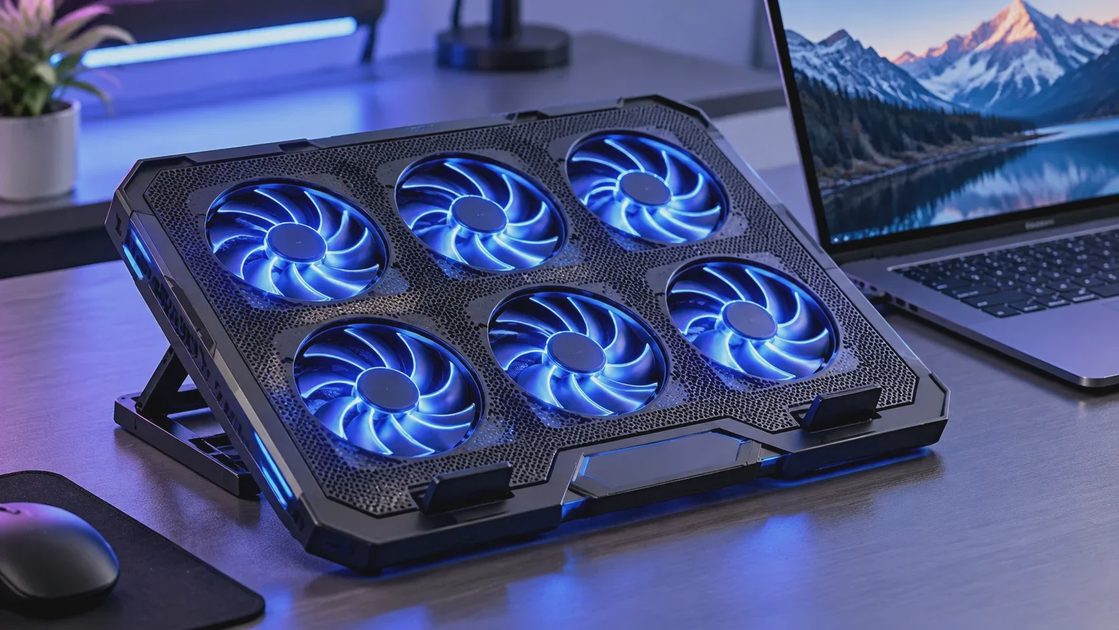
Professional creator laptops generate significant thermal loads during continuous multi-hour rendering sessions, making cooling architecture critical for long-term hardware health. Apple's thermal design is remarkably quiet, keeping fan noise to a minimum during routine editing tasks, though fans ramp up audibly under sustained maximum exports. The aluminum chassis distributes heat evenly without localized hot spots.
ASUS employs advanced multi-fan cooling layouts and liquid metal thermal compound on the ProArt P16 to sustain high electrical wattage to the CPU and GPU simultaneously. Under heavy 3D rendering loads, the fans spin up to noticeable decibel levels to dissipate heat effectively, ensuring the processor never throttles mid-render. Port selection is exceptionally generous, featuring full-size SD card readers, HDMI outputs, and multiple USB connections.
While MacBook Pros include great port selections including HDMI and SD card slots, the ProArt P16 offers robust peripheral connectivity that traditional creators appreciate. You can connect external storage arrays, drawing tablets, and studio monitors directly without carrying dongles. Practical studio convenience is built right into the Windows chassis design.
Which Creator Machine Wins Your Studio Investment?
Concluding our head-to-head comparison shows that both the ASUS ProArt P16 and Apple MacBook Pro are masterclass creator laptops tailored for distinct professionals. If your studio workflow is anchored to macOS, Final Cut Pro, and you prioritize silent operation with phenomenal battery life, the MacBook Pro remains an exceptional workstation.
However, if you are a 3D artist, motion designer, or video editor who demands NVIDIA CUDA acceleration, Windows software freedom, touchscreen input, and expansive port connectivity, the ASUS ProArt P16 takes the crown. The spec sheet highlights processing numbers, but your daily studio workflow determines which machine makes you more productive. Choose the tool that amplifies your creative voice and get to work.

No signals yet — transmit the first.