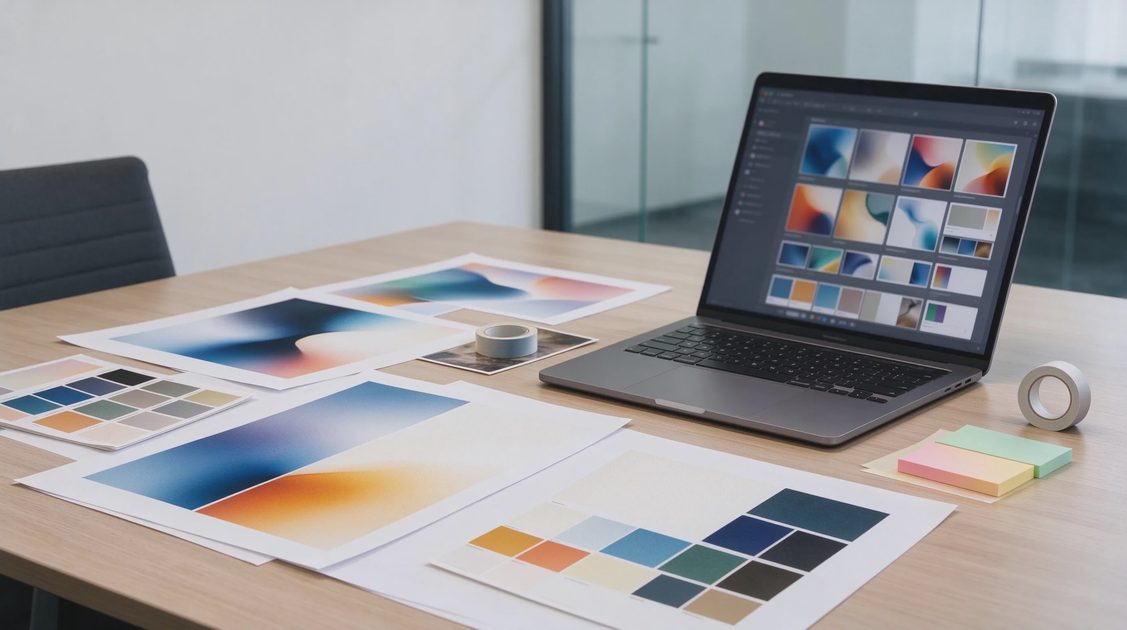
In my Boise workshop, I spent years supporting local creative agencies, design studios, and freelance video editors who were watching their monthly software budgets get completely consumed by cloud subscriptions. Every tool seems to demand a twenty-dollar monthly fee, and the moment your internet connection drops, your digital studio grinds to a halt. The spec sheet on modern ASUS ProArt laptops promises offline AI acceleration, but your actual setup determines whether you can cut cloud dependencies for good. Let's test what an offline creative workflow actually looks like in practice.
The Cost and Privacy Reality of Modern Cloud Creative Tools
Digital creative professionals are currently caught in a frustrating financial trap driven by cloud software monetization models. To access modern artificial intelligence tools—such as generative fill, automated audio cleanup, language transcription, and graphic generation—creators are forced to stack multiple recurring subscriptions. Over the course of a single year, an independent freelancer can easily spend hundreds or thousands of dollars simply maintaining access to basic software tools.
Beyond the ongoing financial drain, cloud-dependent creative software introduces serious data privacy and security vulnerabilities for working professionals. When you upload client storyboards, proprietary product designs, or unreleased commercial footage to remote cloud servers for AI processing, you relinquish direct control over that sensitive data. Many creative agency contracts explicitly prohibit uploading unreleased client assets to third-party cloud platforms due to non-disclosure agreements and corporate privacy policies.
Building a local, offline artificial intelligence workflow on a high-performance laptop completely solves both of these critical professional headaches. By utilizing open-source models and locally accelerated software tools, you eliminate monthly software fees entirely while keeping sensitive client data securely stored on your encrypted local drive. It represents a return to true software ownership where your mobile studio remains fully operational anywhere in the world.
Inside the ASUS ProArt Hardware Engine for Local Workflows
Executing high-level creative artificial intelligence workflows locally requires hardware engineered specifically for sustained mathematical throughput and heavy memory bandwidth. The ASUS ProArt laptop family is built explicitly around these demanding professional requirements, combining multi-core AMD Ryzen processors with high-performance NVIDIA RTX graphics acceleration. This hardware combination creates an ideal foundation for running complex neural networks completely offline.
The secret sauce for local creative AI workflows is system memory capacity and dedicated video RAM (VRAM). When you load open-source Large Language Models, audio isolation pipelines, or image generation weights into local memory, they require substantial physical RAM to remain fast and responsive. Equipping a ProArt machine with 32GB or 64GB of system memory ensures that your operating system, creative software, and local AI engines run simultaneously without crashing or swapping to disk.
Furthermore, the high-color-accuracy Lumina OLED panels found across the ProArt series ensure that your AI-assisted visual edits match professional industry color standards. You can generate concept artwork, adjust color profiles, and review high-resolution video frames with absolute confidence in factory-calibrated color accuracy. It turns a compact laptop into a fully self-contained creative studio capable of handling heavy production tasks without external cloud support.
Testing Offline Large Language Models for Copywriting and Coding
The first pillar of a complete offline creative workflow is replacing cloud conversational tools with locally hosted Large Language Models (LLMs). Using lightweight open-source software managers like Ollama or LM Studio, we installed quantized versions of popular open-source models onto our ProArt test system. These models run completely offline, leveraging the laptop's RTX graphics card to generate intelligent text responses, article outlines, and code snippets instantly.
In practical everyday testing, local language models handled routine creative writing and administrative tasks with astonishing speed. We used an offline 8-billion-parameter model to summarize lengthy client briefs, generate video script options, and clean up messy interview transcripts. Running on local RTX hardware, the model generated copy at speeds exceeding forty tokens per second, producing responsive results without sending a single byte of data across the internet.
To demonstrate how a locally hosted creative workflow eliminates common monthly cloud expenses, the following table details popular open-source offline alternatives tested on our ProArt workstation:
Creative Workflow Task | Traditional Cloud Solution | Offline Open-Source Alternative | Monthly Cost Savings |
Scriptwriting & Research | Cloud AI Assistants ($20/mo) | Local Llama 3 via LM Studio | $20 / Month |
Concept Art & Graphics | Cloud Image Generators ($30/mo) | Local Stable Diffusion (ComfyUI) | $30 / Month |
Audio Cleanup & Isolation | Subscription Audio Web Tools ($15/mo) | Local Ultimate Vocal Remover | $15 / Month |
Video Transcription | Pay-Per-Minute API Services ($25/mo) | Local OpenAI Whisper (GPU) | $25 / Month |
For software developers and web designers, local AI models provide exceptionally fast offline coding assistance. You can point an offline model at your local codebase to debug Python scripts, write custom CSS formatting, or explain complex software functions without worrying about leaking proprietary code to remote servers. The speed, privacy, and zero-dollar price tag make offline LLMs an absolute no-brainer for independent creators.
Local Image Generation and Editing via Stable Diffusion
Generating concept art, texture maps, and visual assets locally represents another major area where creators can achieve total independence from cloud subscriptions. By installing local graphical interfaces like Automatic1111 or ComfyUI, creators gain access to open-source Stable Diffusion pipelines accelerated directly by the ProArt's RTX graphics card. You can generate detailed, high-resolution visuals tailored precisely to your project's creative direction.
During workshop benchmark tests, generating 1024x1024 high-resolution images locally took under eight seconds per batch using TensorRT acceleration. Beyond creating images from scratch, local diffusion pipelines allow for advanced image-to-image editing, sketch-to-render conversions, and precise localized retouching using custom masks. You retain absolute creative control over every step of the visual generation process without worrying about commercial usage restrictions or credit limits.
More importantly, local image tools allow creators to train custom LoRA (Low-Rank Adaptation) models on their own artistic portfolios. This means an illustrator or design studio can train a small, local AI model to replicate their specific corporate brand aesthetic, character designs, or color palettes. You gain an intelligent creative assistant trained exclusively on your work that runs privately on your ProArt laptop.
Local Audio Processing, Transcription, and Video Tools
Content creators, podcasters, and video editors spend countless hours performing tedious audio cleanup, voice isolation, and subtitle transcription. Cloud-based transcription services charge steep per-minute fees, while online noise-reduction tools frequently alter voice timbre awkwardly. Replacing these subscription web services with local, GPU-accelerated audio utilities saves significant money while delivering superior processing quality.
By running open-source models like OpenAI's Whisper locally on the ProArt workstation, you can transcribe hour-long video interviews into perfectly formatted text in under two minutes. Because processing occurs locally on your RTX GPU, transcription accuracy is astonishingly high, handling technical jargon and ambient noise far better than basic web tools. The resulting subtitle files are ready for immediate import into your video editor without waiting for cloud processing queues.
Similarly, local audio isolation utilities like Ultimate Vocal Remover leverage deep learning models to split background music, wind noise, and room reflections from voice tracks cleanly. Video editors working on documentary footage or remote interviews can isolate dialogue instantly without sending audio files across the web. These local audio utilities turn tedious post-production chores into effortless, automated background tasks.
The Real Verdict: Can You Ditch Cloud Subscriptions Entirely?
After spending weeks testing complete offline creative pipelines on an ASUS ProArt laptop, the verdict is overwhelmingly positive for technical creators willing to embrace local tools. You can absolutely build a highly productive, professional creative workflow that handles text generation, concept art, audio isolation, and transcription completely offline without paying a single dollar in recurring cloud fees. The long-term cost savings and complete data privacy make local AI a game-changer for independent freelancers.
However, achieving total independence from cloud services requires a modest investment in setup time, technical learning, and disk space management. Downloading open-source model weights, configuring local Python environments, and organizing workflow pipelines demands technical patience compared to simply opening a web browser. Furthermore, massive frontier cloud models still hold an edge for extremely complex multi-step reasoning and massive world-knowledge queries.
Ultimately, local AI is not an all-or-nothing proposition, but rather a powerful tool for achieving creative independence and protecting your financial bottom line. Owning a high-performance creator laptop like the ASUS ProArt P16 empowers you to take complete control of your creative software suite. The spec sheet tells you what the machine can do, but building a tailored local workflow ensures your digital studio remains fast, private, and profitable wherever you work.
No signals yet — transmit the first.