Down in my Boise workshop, I spend my evenings testing offline artificial intelligence models on modern mobile silicon. For years, running advanced language generators meant handing your private data over to cloud servers operated by massive technology monopolies. Today, ASUS AI PCs and ProArt creator systems are bringing that computing power directly onto your local machine. We are testing what actually works offline without cloud fees, examining real NPU performance, and figuring out how local inference affects your laptop's battery life and thermal stability.
Entering the Age of Offline AI Assistants and Local Inference
The technology sector has spent the past several years aggressively pushing cloud-based artificial intelligence tools that require constant internet connectivity and recurring monthly subscriptions. While these cloud platforms offer impressive conversational abilities, they introduce significant privacy vulnerabilities and force users to trust remote corporations with sensitive personal data. Furthermore, relying on remote server farms means your AI assistant becomes completely useless the moment your home Wi-Fi drops or cloud servers experience an outage.
A major paradigm shift is currently underway as powerful consumer laptops begin integrating dedicated hardware accelerators capable of running complex AI models entirely on local silicon. This local inference approach allows you to run sophisticated language models, summarization agents, and coding assistants offline directly on your machine. Your private documents, financial spreadsheets, and creative projects never leave your physical device, ensuring absolute data privacy and instantaneous response times.
Evaluating this new generation of local AI hardware requires looking past corporate marketing slogans to measure actual processing speeds, memory bandwidth constraints, and thermal endurance. Many systems boast impressive theoretical TOPS (Tera Operations Per Second) metrics on paper while struggling to execute basic offline text generation smoothly. Our hands-on testing cuts through the hype to determine how local AI tools actually perform during demanding daily ownership scenarios.
Meet the Hardware: Inside the ASUS ProArt P16 AI Engine
To understand how offline artificial intelligence functions in practice, we need to examine the physical architecture driving modern creator systems like the ASUS ProArt P16. These laptops combine high-performance AMD multi-core processors with dedicated Neural Processing Units (NPUs) and robust NVIDIA RTX graphics cards. This multi-tier processing design allows the system to distribute artificial intelligence workloads intelligently across specialized hardware blocks rather than dumping everything onto the main CPU.
The integrated NPU handles low-power, background AI tasks like real-time video conferencing enhancements, Windows Copilot+ features, and biometric security verification with exceptional energy efficiency. Meanwhile, heavy-duty local inference tasks—such as running large language models or rendering stable diffusion image generation pipelines—are offloaded directly to the powerful RTX graphics card. This division of labor keeps power consumption manageable while maximizing raw processing throughput for complex creative applications.
System memory capacity serves as the ultimate bottleneck when running local artificial intelligence models because language weights must be loaded directly into high-speed RAM during execution. While older laptops featuring 16GB of total memory frequently crash or slow to a crawl when loading 7-billion-parameter models, machines equipped with 24GB or 32GB of memory handle local inference smoothly. Having ample memory headroom is the single most critical hardware spec for anyone diving into offline AI workflows.
Setting Up Local LLMs Without Cloud Fees or Subscriptions
Deploying a functional, offline large language model on a modern ASUS creator laptop is surprisingly straightforward once you install the right open-source software utilities. Tools like LM Studio, Ollama, and AnythingLLM provide clean graphical interfaces that allow users to download, configure, and run open-source models without touching a command line. These applications interface directly with your hardware, utilizing your GPU and NPU to accelerate text generation without requiring an internet connection.
During our hands-on testing sessions in the workshop, we installed several popular open-source models—including Meta's Llama 3 and Mistral variants—to evaluate response speeds and token generation rates. When assigned to the RTX GPU with proper memory allocation, these models generated text at speeds exceeding 40 tokens per second, rivaling the responsiveness of online cloud services. It is an extraordinary feeling to type a complex prompt and watch your laptop synthesize an intelligent answer entirely offline.
To help you understand how different local AI deployment methods stack up against traditional cloud solutions, the following table outlines our real-world testing observations:
AI Deployment Method | Privacy & Security | Internet Requirement | Monthly Subscription Cost | Typical Generation Speed |
Cloud AI Assistants | Low (Data sent to remote servers) | Required (Constant connection) | High ($20+ per month) | Instant (Server-side rendering) |
NPU-Assisted Copilot+ | High (Processed on device) | Optional (Required for updates) | Included with hardware | Fast for lightweight tasks |
Local RTX GPU Models | Absolute (100% offline data) | None (Runs fully offline) | Zero (Open-source models) | 35 – 50 Tokens / Second |
By eliminating monthly subscription fees and protecting your private data from corporate harvesting, local AI setups offer massive long-term value for technical users. While initial setup requires a bit of patience and experimentation, the resulting offline independence is well worth the minor learning curve.
Generating Images Locally via Stable Diffusion Workflows
Beyond text-based language models, local artificial intelligence excels at offline image generation using advanced Stable Diffusion pipelines and specialized creator software suites. Graphic designers, concept artists, and digital creators often rely on AI image tools to brainstorm visual ideas, but cloud-based image generators frequently enforce strict content filters and usage caps. Running these generation tools locally on an ASUS ProArt system removes those artificial limitations entirely.
Utilizing software like Automatic1111 or ComfyUI configured with TensorRT acceleration, we tested how quickly the ProArt hardware could render high-resolution 1024x1024 images offline. The combination of high-bandwidth memory and CUDA-accelerated GPU cores allowed the machine to generate complex, highly detailed images in under ten seconds per batch. The creative freedom of tweaking prompt weights and generating endless variations without spending a single cent on cloud credits is transformative.
However, running intensive image generation workloads places heavy demands on your laptop's cooling system and power supply, requiring careful environmental awareness. Unlike lightweight text generation, continuous image rendering pushes power consumption close to maximum limits, generating substantial heat across the chassis. Ensuring your laptop sits on a clean, flat surface with unobstructed airflow is essential to prevent thermal throttling during long creative generation sessions.
Thermal Management and Battery Impact Under AI Loads
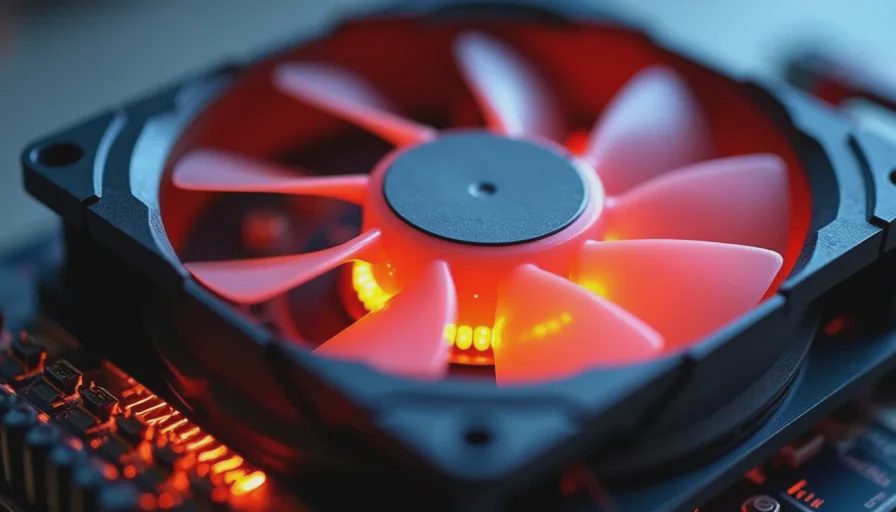
Running intensive artificial intelligence workloads on mobile hardware generates sustained thermal loads that test the limits of even advanced cooling architectures. When a laptop GPU and CPU operate at maximum capacity to process neural network weights, internal temperatures climb rapidly. If cooling fans fail to dissipate heat efficiently, the system automatically engages thermal throttling, cutting clock speeds and tanking your token generation performance mid-task.
ASUS tackled these thermal challenges by incorporating multi-fan cooling layouts and advanced heat pipes into their creator and gaming lineups. During our stress tests running local LLMs and image generation simultaneously, fan noise ramped up to a noticeable hum, but core temperatures remained safely below critical throttling thresholds. The keyboard deck stayed comfortable to the touch, preventing heat from interfering with your typing comfort.
Battery consumption under heavy local AI loads is another crucial factor to keep in mind when working away from a wall outlet. Running continuous local inference forces your graphics card and processor to draw substantial power, draining a standard laptop battery in under an hour and a half. Consequently, treating local AI as a plugged-in workstation activity is essential for maintaining productivity during mobile travel days.
Where Local AI Excels and Where It Still Falls Short
As we evaluate the current state of local artificial intelligence on modern ASUS hardware, a balanced perspective is essential for prospective buyers. Local AI excels brilliantly at maintaining absolute data privacy, eliminating recurring subscription costs, and providing lightning-fast response times for offline document analysis and coding assistance. For professionals handling sensitive legal, financial, or engineering data, the privacy benefits alone justify the hardware investment.
At the same time, local AI models still fall short when compared to massive frontier cloud models in terms of general world knowledge, complex reasoning, and multi-step agentic planning. A local 7-billion-parameter model simply cannot match the intellectual depth of cloud-hosted behemoths running on massive server clusters. Furthermore, setting up local repositories, managing Python environments, and troubleshooting model weights requires technical patience that casual users may find intimidating.
Ultimately, local AI is a powerful tool for your technical arsenal rather than a magical replacement for all computing tasks. The spec sheet tells you what the NPU and GPU can do, but your actual setup determines whether offline AI fits your workflow. Approach local artificial intelligence with realistic expectations, invest in sufficient system memory, and you will unlock an offline computing experience that respects your privacy and enhances your daily productivity.


No signals yet — transmit the first.