
Back in my Boise workshop, I spend my weeks evaluating laptops that claim to do it all—from color-grading 4K client footage and playing fast-paced PC games to streaming high-bitrate HDR movies late at night. ASUS Lumina OLED displays have expanded across creator, gaming, and thin-and-light laptop lines, but living with an organic panel across diverse daily tasks reveals distinct strengths and unavoidable real-world compromises. The spec sheet promises infinite contrast, but your actual workspace lighting and usage habits dictate how well it performs. Let's look at where these displays excel and where they struggle.

Professional Color Precision and Creative Timeline Workflows
For video editors, photo retouchers, and digital illustrators, display color fidelity is the cornerstone of professional work. When editing commercial video or preparing graphics for print, color shifts on an uncalibrated screen can ruin a project. ASUS Lumina OLED panels arrive factory-calibrated with Delta E values below 1.0, ensuring that the colors you see on screen match strict industry broadcast standards right out of the box.
Covering 100% of the cinema-grade DCI-P3 color space, Lumina OLED displays render vibrant, rich hues without artificial oversaturation. Working on HDR video timelines in Premiere Pro or DaVinci Resolve is particularly impressive because individual pixels control their own luminance. You can evaluate specular highlight detail alongside shadow tones accurately across the entire frame, giving you complete confidence during complex color-grading sessions.
However, professional creators must navigate automatic static brightness limiters designed to protect organic sub-pixels during prolonged static use. When working inside bright, full-screen editing interfaces with white backgrounds for hours, the display firmware may subtly dim full-screen luminance to manage heat. While this prolongs panel lifespan, editors must maintain consistent ambient workspace lighting to prevent minor brightness shifts from affecting their visual perception.
High-Refresh PC Gaming and Instantaneous Motion Clarity
Transitioning from professional video editing tools to high-speed PC gaming highlights a completely different set of performance strengths on organic panels. Lumina OLED laptop displays pair high refresh rates—such as 120Hz or 240Hz—with near-instantaneous sub-pixel response times. This combination eliminates the distracting motion blur, smearing, and ghosting artifacts common on traditional mobile LCD screens during fast camera movements.
Whether you are navigating dense urban streets in Cyberpunk 2077 or tracking fast-moving opponents in competitive multiplayer games, motion legibility remains extraordinarily sharp. Individual targets stay crisp and clear during rapid turns, reducing eye strain during long gaming sessions. Coupled with VESA DisplayHDR True Black certification, dark game environments gain incredible depth, revealing subtle details in dark shadows that traditional backlights wash out.
On the struggle side, the instantaneous pixel response of OLED panels can make low-frame-rate content appear slightly jumpy or stippled. While traditional LCD screens use slow pixel transitions to smooth over low frame rates, crisp OLED pixels display every individual frame transition sharply. To get the best gaming experience on an OLED laptop, maintaining stable frame rates using smart upscaling technology or lowered graphic settings is highly recommended.
Cinematic HDR Streaming and Evening Media Consumption
When the workday ends and you flip your laptop over to stream 4K HDR movies on Netflix or YouTube, Lumina OLED displays turn into portable home theaters. Because every pixel shuts off completely when displaying pure black, cinematic letterbox bars remain pitch black. You avoid the annoying grey light leaks and corner blooming that plague traditional LCD laptops during dark cinematic scenes.
High Dynamic Range media content looks stunning on these panels, leveraging localized peak brightness capabilities to highlight fires, sunlight reflections, and bright sci-fi effects with breathtaking realism. The vast contrast range creates incredible image depth, making 4K streaming footage look remarkably lifelike. It delivers a theater-quality viewing experience that easily outclasses standard consumer displays.
The primary hurdle during media consumption involves managing ambient room reflections. Because Lumina OLED laptops utilize glossy glass protective layers to maximize color contrast and image punch, watching dark movies in a brightly lit room can transform the screen into a mirror. Positioning your laptop away from direct overhead lamps or bright unshaded windows is essential to prevent distracting room reflections during dark movie scenes.
Managing Surface Glare and Ambient Lighting Constraints
Surface reflection management remains one of the most persistent physical challenges associated with modern OLED laptop displays. To maintain razor-sharp text clarity and vivid color saturation, manufacturers avoid heavy matte anti-glare coatings, which can make organic sub-pixels look fuzzy or grainy. While glossy glass maximizes visual punch indoors, it demands thoughtful workspace placement.
Working in a sunlit coffee shop or directly beneath bright office lights can make dark software windows hard to read due to specular glare. You find yourself constantly adjusting the hinge angle or shifting your seating position to avoid catching room reflections on the glass surface. For mobile professionals who frequently work outdoors or in bright, uncontrolled environments, this glossy reflection tendency requires real-world adaptation.
Understanding your primary working environment helps set realistic expectations before purchasing an OLED laptop. If you work mostly indoors, in studio environments, or under controlled home lighting, the glossy panel delivers breathtaking image quality that far outweighs minor reflections. If you spend your entire day working outside under bright sunlight, an anti-glare IPS display may offer a more practical, reflection-free experience.
Digital Health Habits and Long-Term Display Care
Owning an OLED laptop successfully requires adopting simple, smart digital habits to preserve sub-pixel health and prevent uneven wear over years of daily ownership. Because organic pixels degrade gradually when forced to display high-contrast static elements—like Windows taskbars, browser bookmark strips, or editing timelines—at maximum brightness for thousands of hours, basic panel care is essential.
ASUS integrates robust software protection suites—including subtle pixel shifting, automatic static logo dimming, and background pixel refresh routines—that run automatically during system idle times. Users can further protect their investment by enabling dark mode across Windows 11, setting short display sleep timeouts, and hiding the desktop taskbar when not in use. These minor tweaks ensure your screen stays uniform for years.
Furthermore, running your display at sensible brightness levels indoors protects your eyes while extending battery runtime. Lumina OLED panels emit significantly less high-energy blue light than traditional LCD screens, reducing eye fatigue during late-night editing or coding sessions. Practicing basic display care balances visual comfort, battery efficiency, and long-term hardware durability seamlessly.
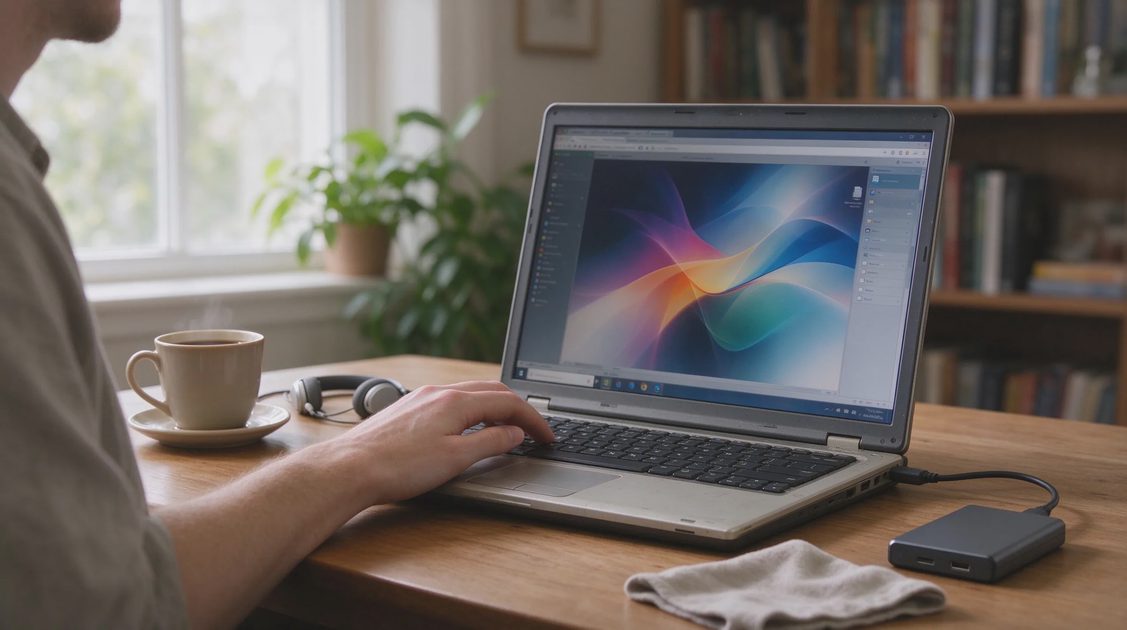
Bottom Line: Is an ASUS Lumina OLED Laptop Right for You?
Concluding our multi-scenario evaluation of ASUS Lumina OLED displays proves that organic panel technology offers an extraordinary visual upgrade for the right buyer. If your daily routine revolves around professional color grading, fast-paced PC gaming, and high-bitrate HDR movie streaming in indoor environments, the contrast, color precision, and motion clarity are second to none.
However, if your primary work consists of editing static spreadsheets outdoors under bright sunlight or working in uncontrolled lighting conditions where glossy reflections irritate you, a traditional anti-glare IPS screen might still prove more practical. The spec sheet promises incredible visual metrics, but your actual working environment dictates whether OLED is an absolute joy or a minor glare battle. Match your display choice to your real-world habits, and you will enjoy every single frame.
No signals yet — transmit the first.